
Installation and configuring plug-in 'Out Of Stock Last'
The plugin moves 'out of stock' products to the end of the product lists automatically and returns them to their old positions when they are 'in stock' again.
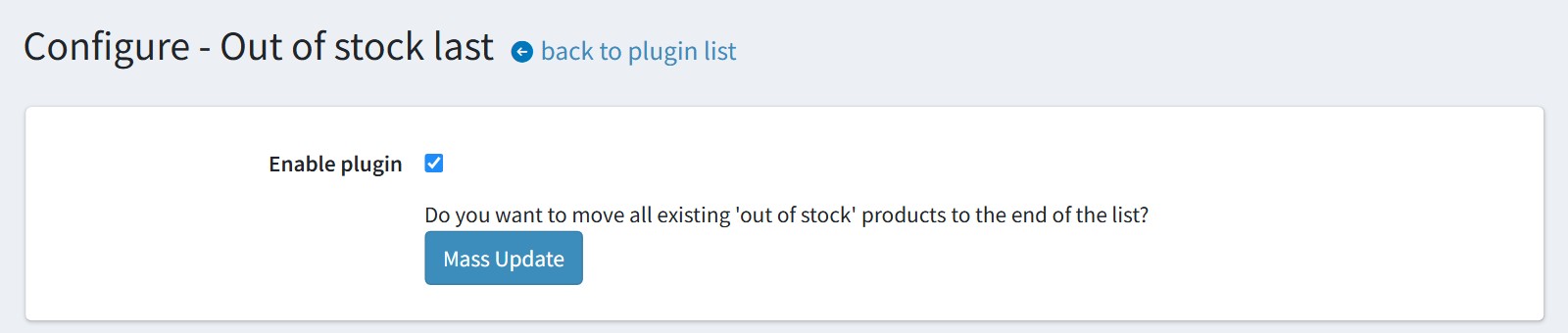
It's easy to configure the plugin. See pictures.
1. Open Configuration > Local plugins > 'Out of stock last' > Configure.
'Enable plugin' is on after the installation.
Press 'Mass Update' once. The plugin moves all products which are already 'out of stock' to the end of the lists. After it the plugin works by itself on every stock change - no scheduled task is needed.
2. How does the plugin work?
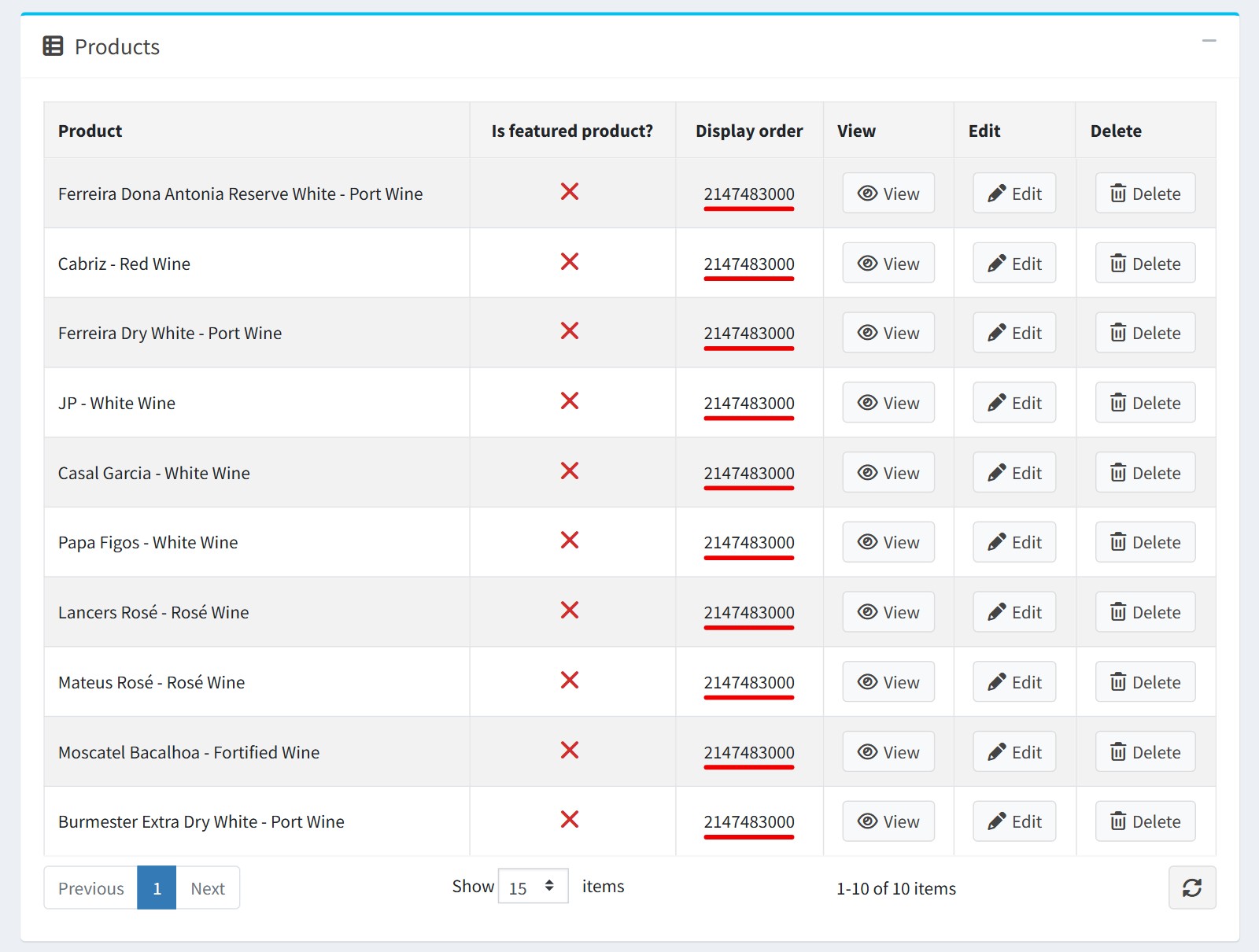
When a product is 'out of stock', the plugin sets its display order to 2147483000 in the category lists, the manufacturer lists and in the product itself, removes it from the home page and clears 'Is featured product'. nopCommerce shows such products at the end of the list.
The plugin saves the old values. When the product is 'in stock' again, the plugin returns its old display order, the featured flag and the home page flag.
You can put products after the 'out of stock' products. Set their display order greater than 2147483000.
3. Which products are moved?
Products with the inventory method 'Track inventory' (with several warehouses too) and 'Track inventory by product attributes'. Products with 'Don't track inventory' are never moved.
A grouped product is moved to the end only when all its associated products are 'out of stock'. It comes back as soon as one of them is 'in stock'.
4. Good to know.
The plugin works inside the database. It supports MS SQL Server, and MySQL and PostgreSQL from nopCommerce 4.40.
The plugin sees the stock changes which nopCommerce writes to the stock history: orders, the product edit page, the import. If you change the stock directly in the database (a SQL script or an external tool), press 'Mass Update' after it.
If you uncheck 'Enable plugin', nothing is moved while the plugin is off. Press 'Mass Update' after you enable it again.
The search page. From nopCommerce 4.40 the search results with the sorting 'Position' show 'out of stock' products at the end too. nopCommerce 4.30 and older sort the search page by name. A search plugin (for example Elasticsearch) uses its own order.
The setting is one for all stores.