
Installation and configuring plug-in Newsletter Subscription (Discount Coupon, etc.)
The plugin shows a newsletter popup in your store and rewards each new subscriber with a one-time discount coupon or with reward points. The coupon code is created automatically and sent to the customer by email.
It's easy to configure the plugin. See pictures.
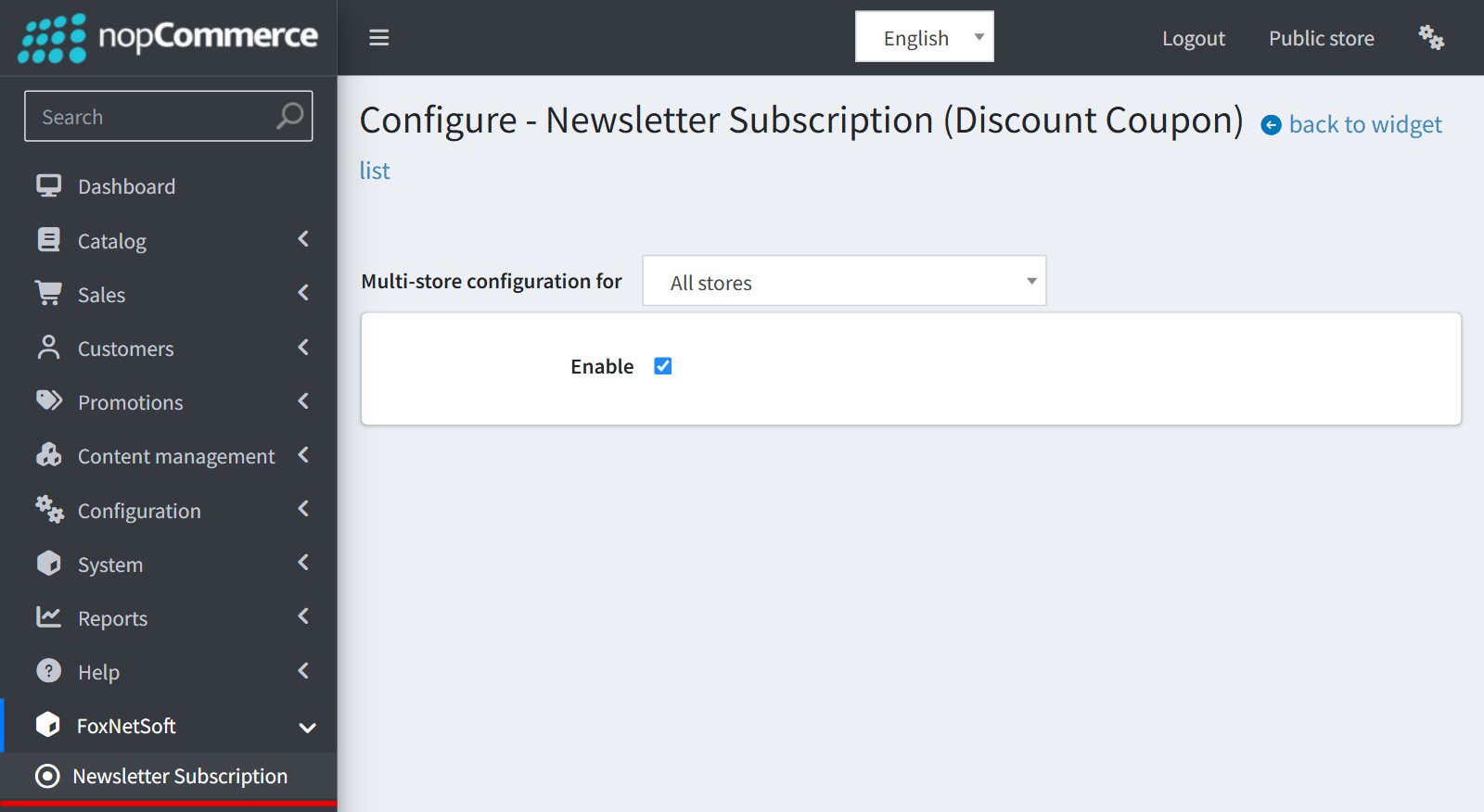
1. Install the plugin and open its configure page from the menu 'FoxNetSoft' - 'Newsletter Subscription' (or from Configuration - Widgets).
Check 'Enable'.
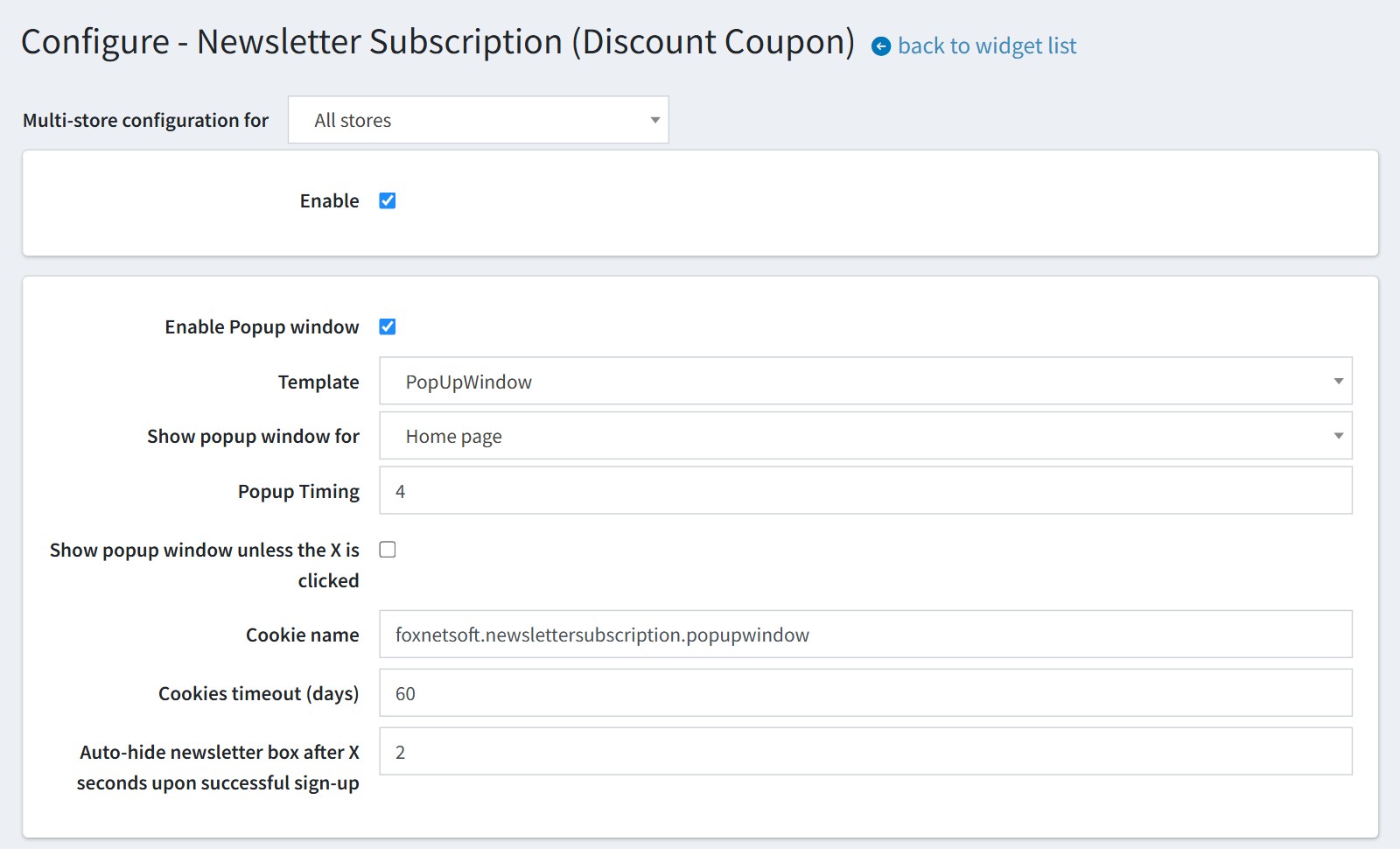
2. Set up the popup window.
'Enable Popup window' shows the popup in the store.
'Show popup window for'. 'Home page' or 'All pages'.
'Popup Timing' is the delay in seconds after the page is loaded.
The plugin saves a cookie when the popup is shown, so the visitor sees it only once until the cookie expires. 'Cookies timeout (days)' is the lifetime of this cookie, 'Cookie name' is its name. Change the cookie name if you want all visitors to see the popup again.
Enable 'Show popup window unless the X is clicked' if the popup must appear on every page until the visitor closes it with X.
'Auto-hide newsletter box after X seconds upon successful sign-up'. Enter 0 to hide the box at once.
Registered customers who are already subscribed never see the popup.
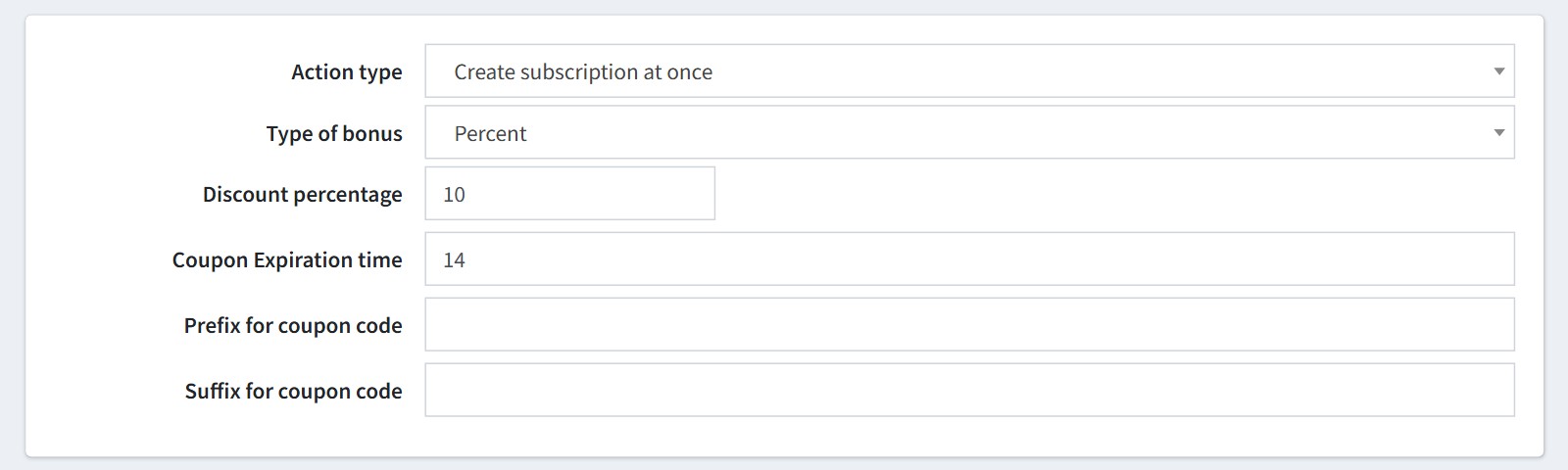
3. Choose the bonus for a new subscriber.
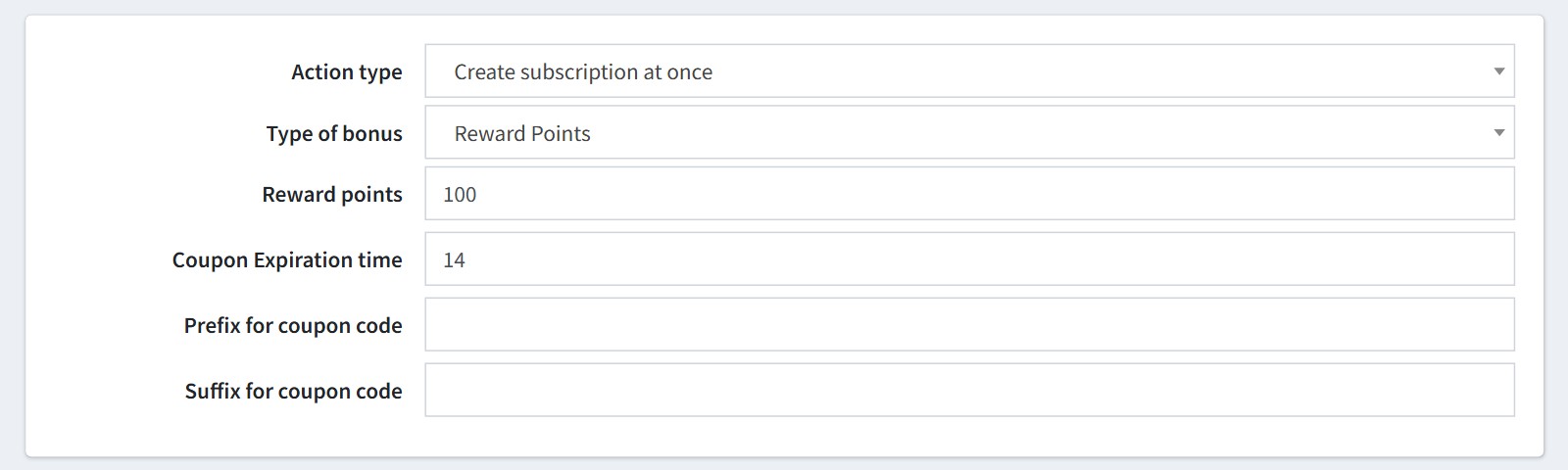
'Action type'. 'Create subscription at once' or 'Send email with activation link'. With the activation link the customer gets the bonus only after the subscription is confirmed by the link from the email.
'Type of bonus' 'Percent'. Set 'Discount percentage'.
'Coupon Expiration time' is the number of days the coupon is valid. Enter 0 for a coupon without an end date.
'Prefix for coupon code' and 'Suffix for coupon code' are added to the generated code.
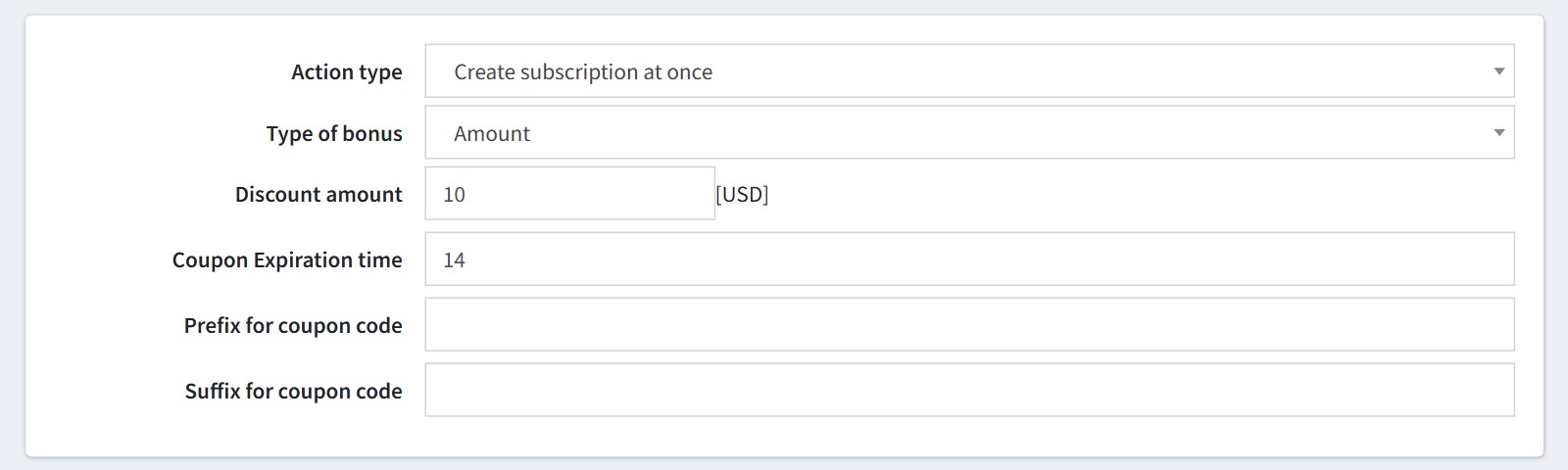
'Type of bonus' 'Amount'. Set 'Discount amount' in the primary store currency.
'Type of bonus' 'Reward Points'. Set 'Reward points'. Reward points work only for registered customers, so guests do not see the popup in this mode. Reward points must be enabled in your store (Configuration - Settings - Reward points).
'Type of bonus' 'None' subscribes the customer without a bonus.
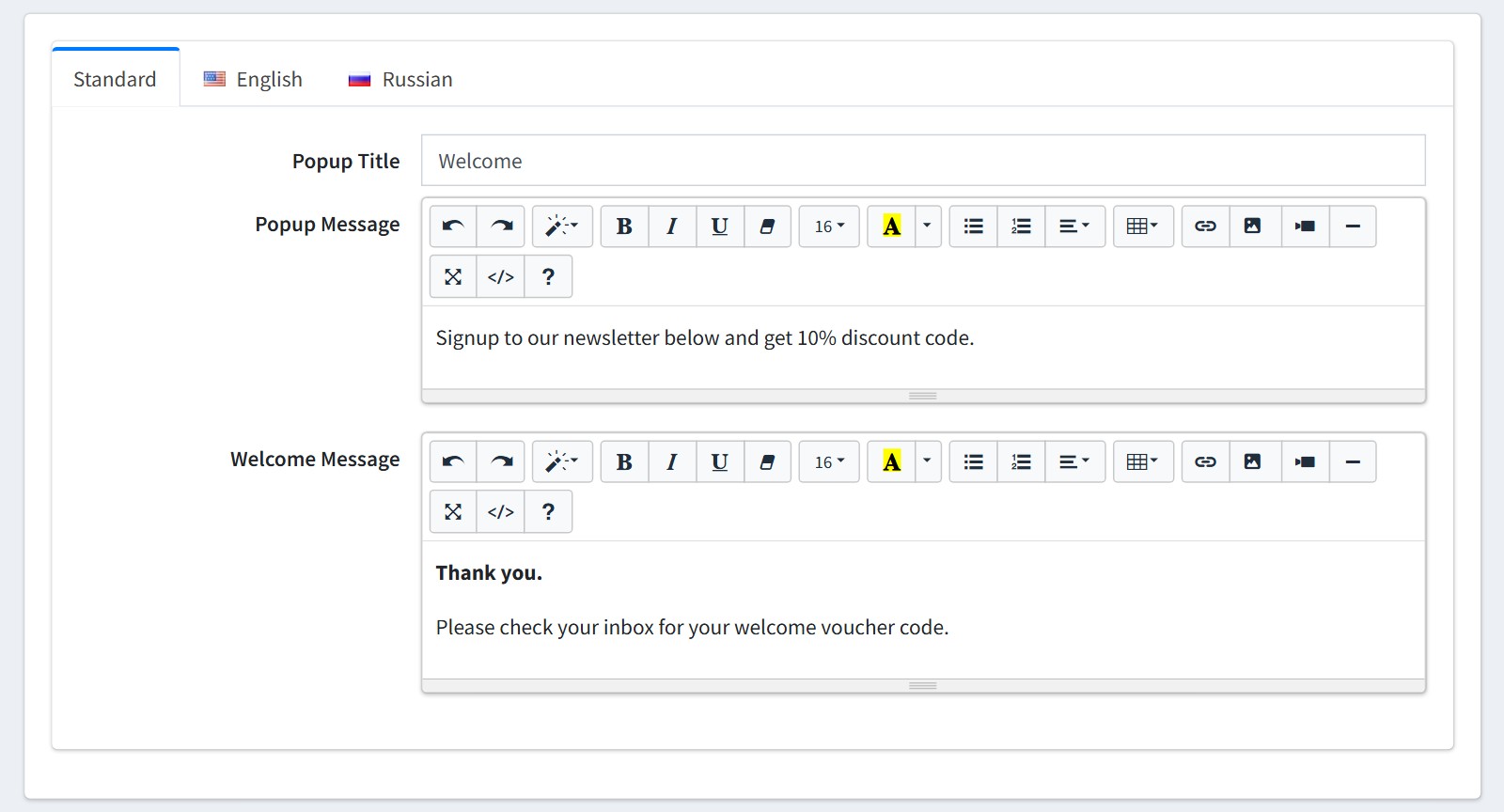
4. Write 'Popup Title', 'Popup Message' and 'Welcome Message' for each language of your store. The Welcome Message appears after the customer has subscribed.
Please note, the default texts say '10% discount code'. Change them if your discount is different.
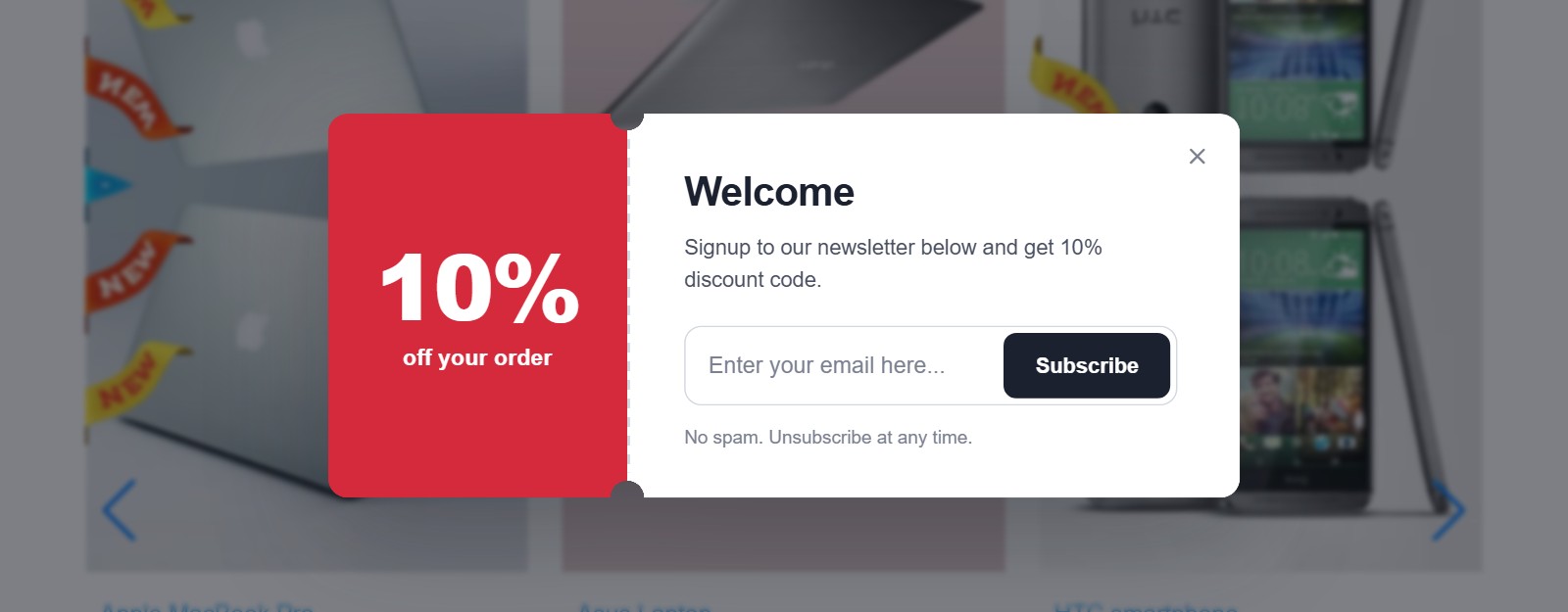
This is how the popup looks in the store.
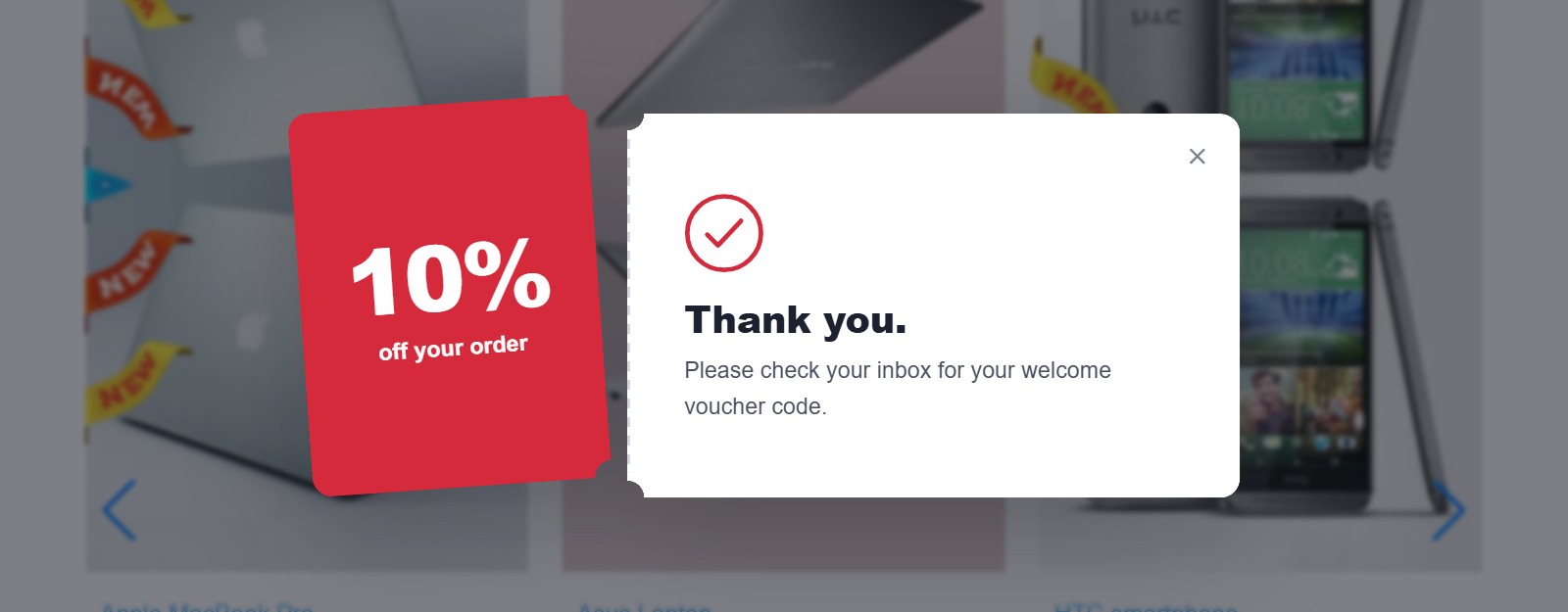
The customer sees the Welcome Message after the subscription.
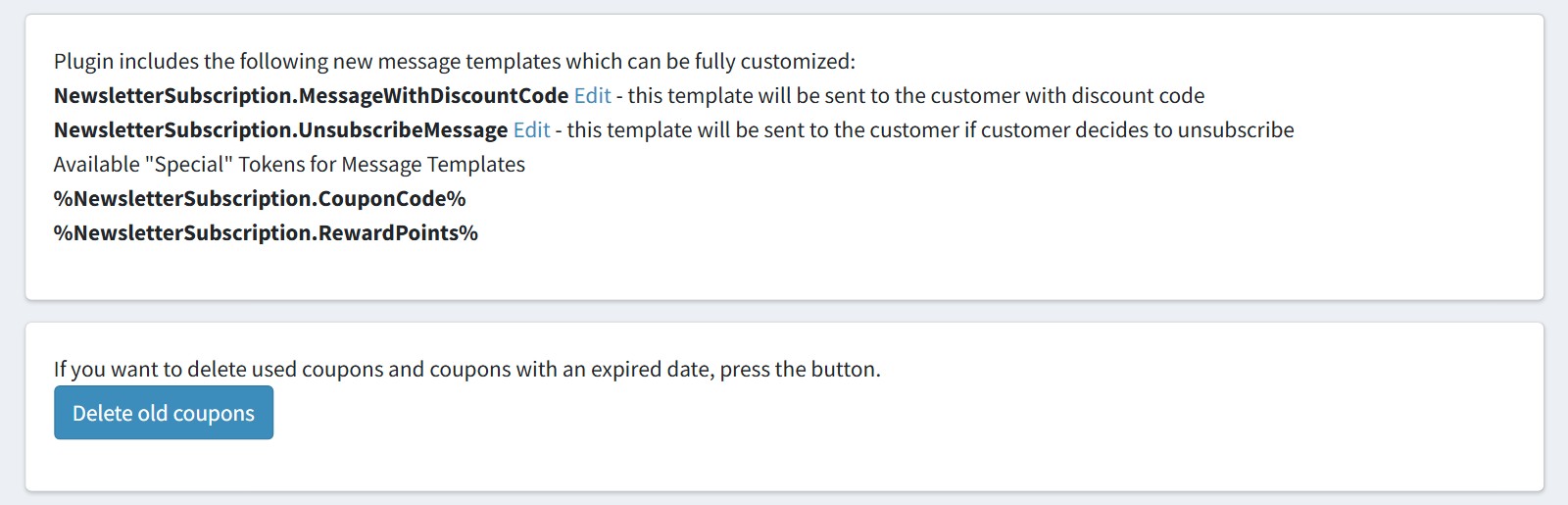
5. The plugin adds two message templates. 'NewsletterSubscription.MessageWithDiscountCode' is sent to the customer with the discount code. 'NewsletterSubscription.UnsubscribeMessage' is sent if the customer unsubscribes. Press 'Edit' to change them.
Use the tokens %NewsletterSubscription.CouponCode% and %NewsletterSubscription.RewardPoints% in the templates.
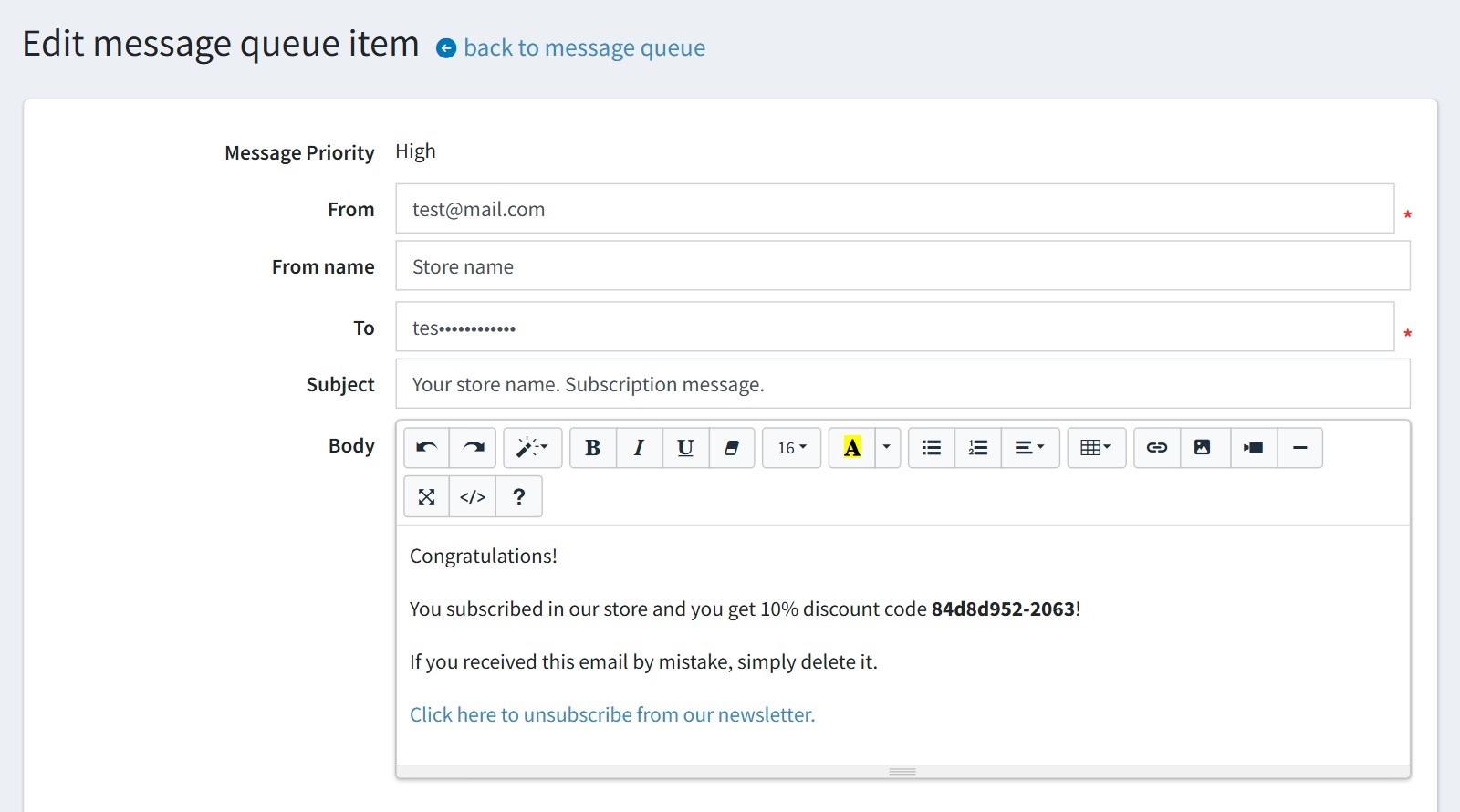
The templates are sent from the default email account of the store. The default text of the email also says '10% discount code', so change it together with the popup texts.
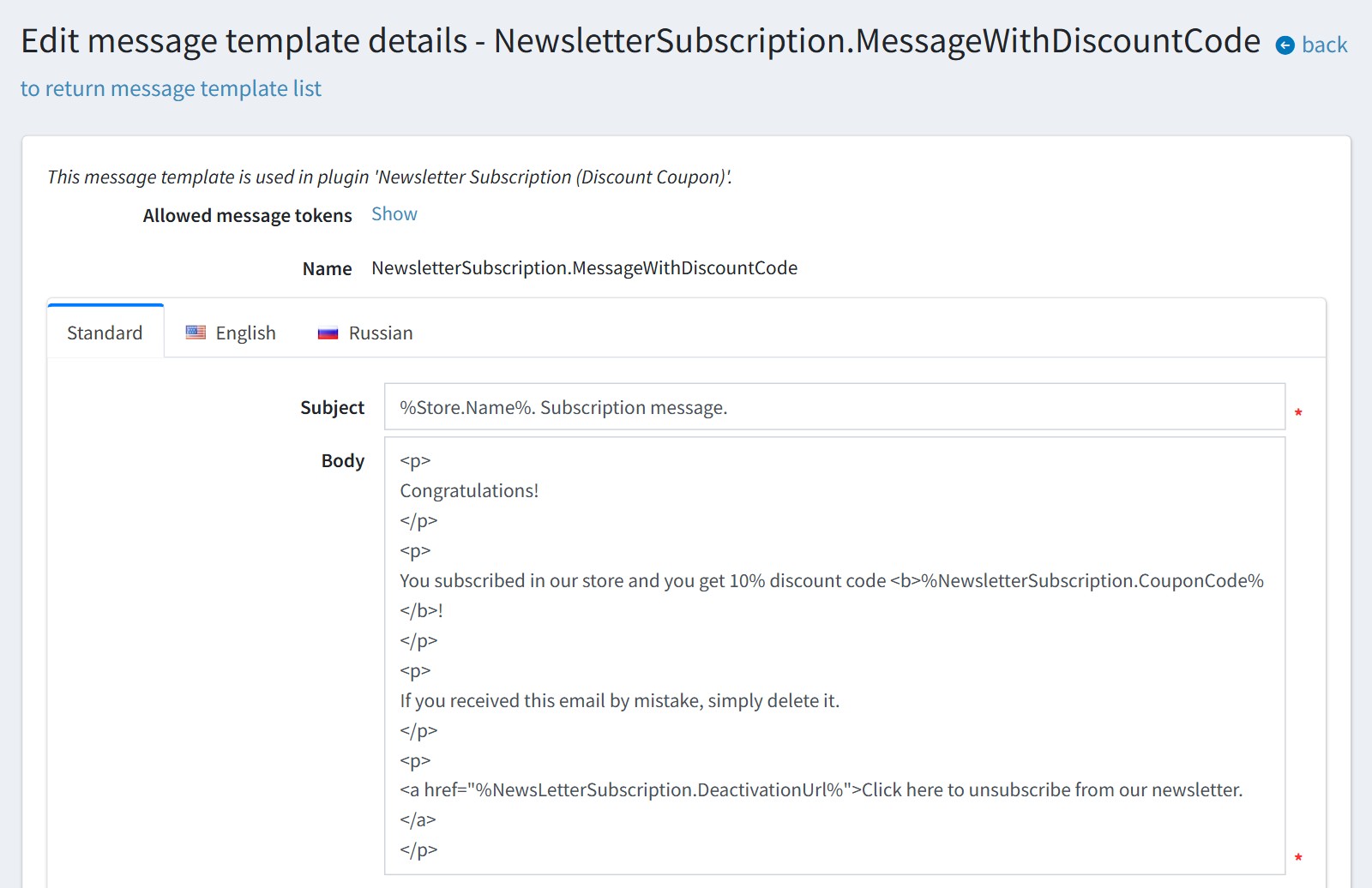
This is the email the customer gets after the subscription.
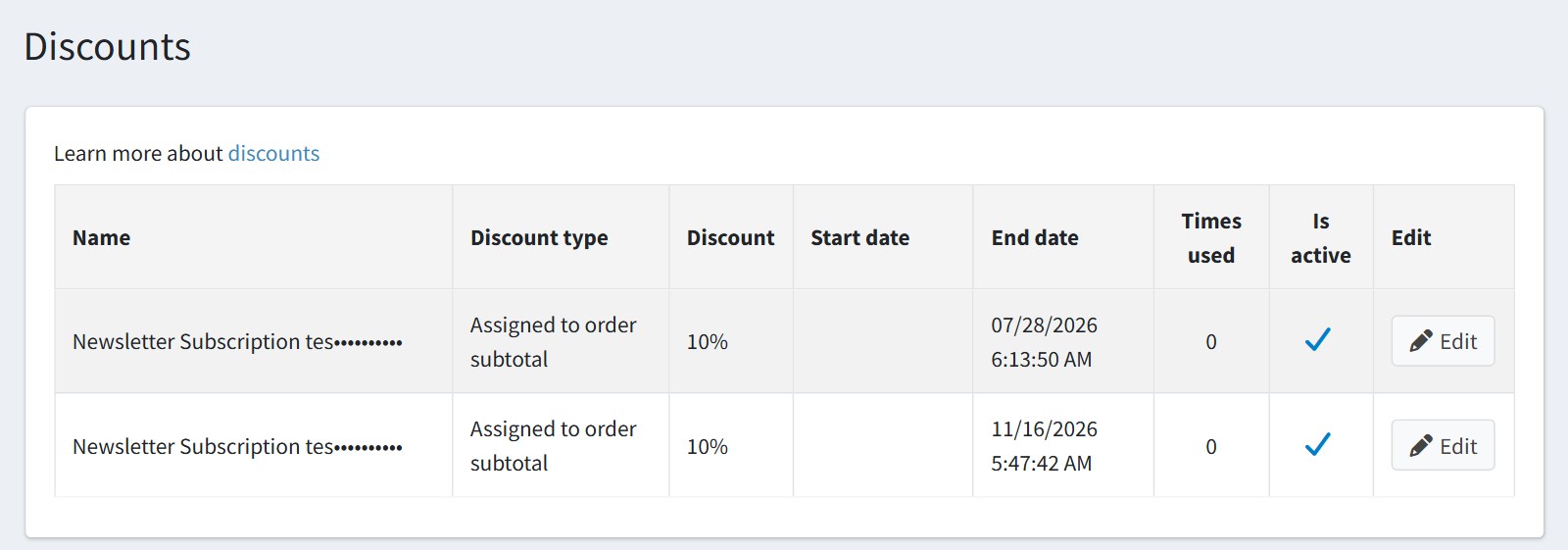
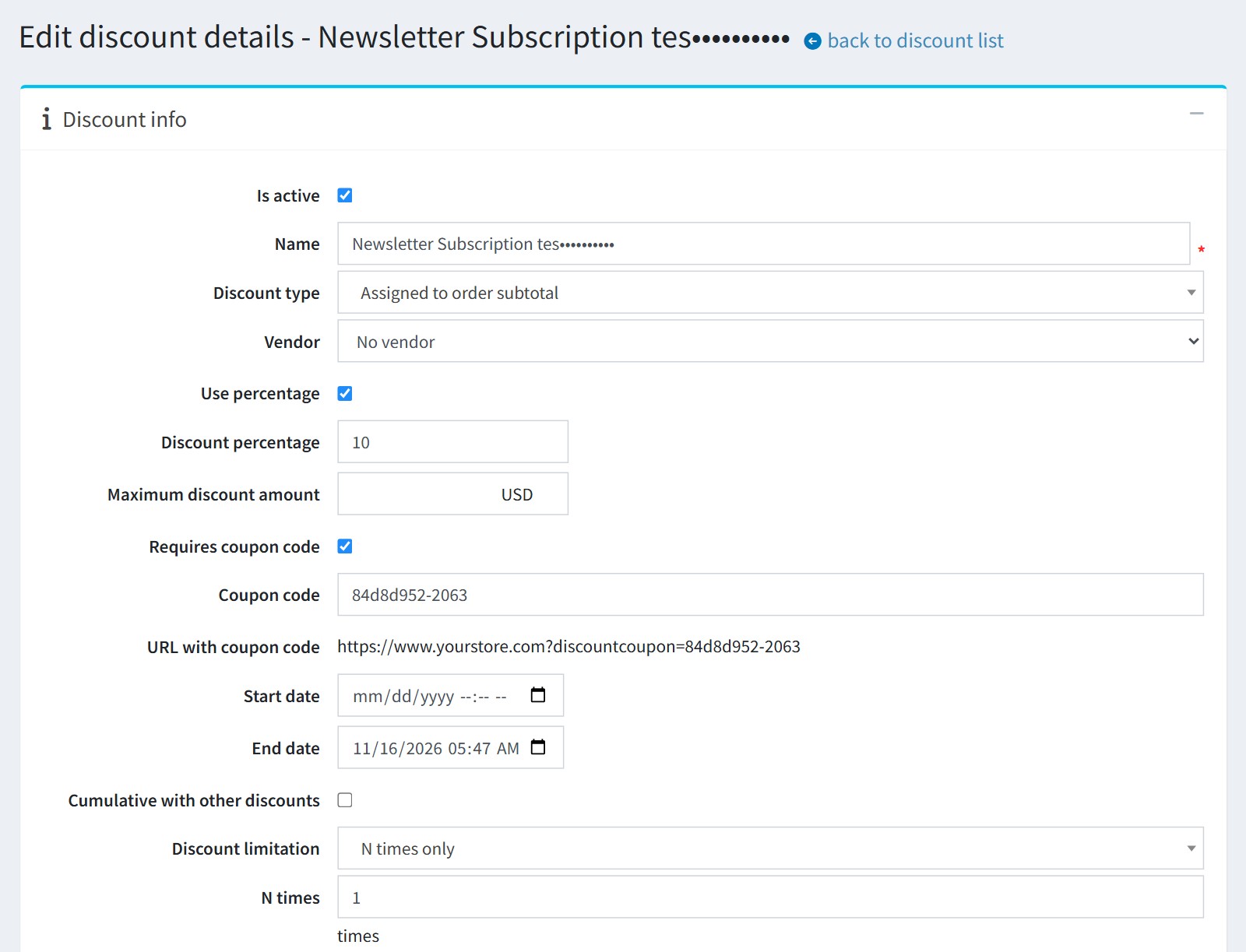
6. For each new subscriber the plugin creates a discount 'Newsletter Subscription {email}' in Promotions - Discounts. It is assigned to the order subtotal, requires the coupon code and can be used only once ('N times only', 1).
7. Good to know.
If the customer unsubscribes before using the coupon, the coupon is disabled. Reward points are taken back.
Subscriptions created or changed in the admin area do not give a bonus.
The plugin has no scheduled task for old coupons. Press 'Delete old coupons' on the configure page from time to time. It deletes the plugin coupons that expired more than 30 days ago and the used coupons whose order is older than 30 days.
All settings could be set for each store separately. Select the store in 'Multi-store configuration for' and check the override checkboxes.