
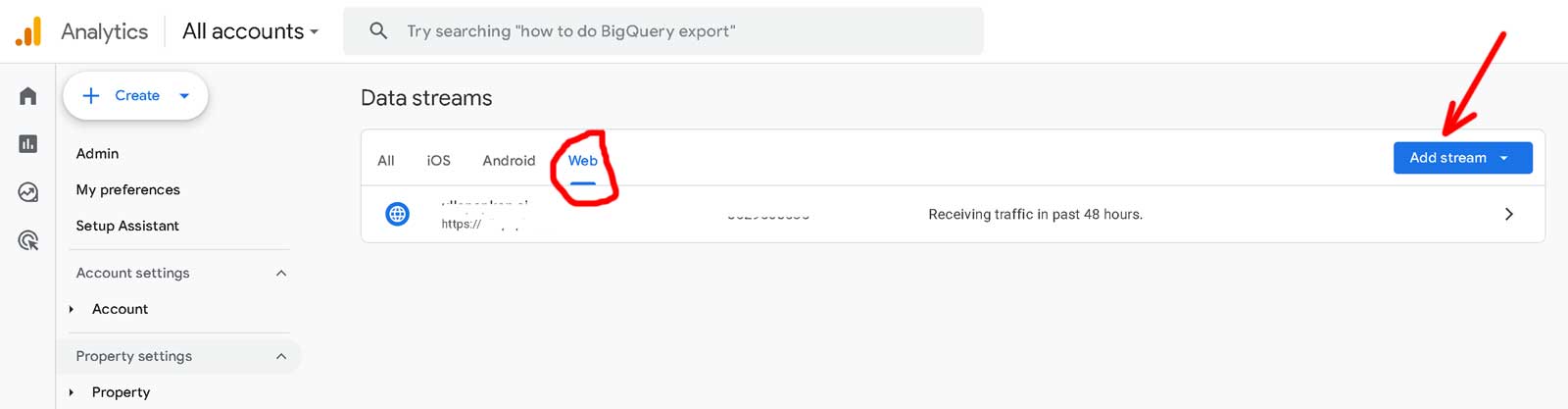
Installation and configuring plug-in Google Analytics 4 (GA4) + Adwords + Consent Mode v2 1. Read offical Google Documentation https://support.google.com/analytics/answer/10089681 2. The plugin uploads the all possible events to GTM. If you use the version of the plugin older 4.05 then the plugin adds the prefix 'ga4_' for all events. Example of mapping events: If you use version of the plugin 4.05 and never versions the plugin could send events without the prefix. 3. The plugin creates events with full detailed information about the product (price, category, manufacturer, etc.) dataLayer.push({ The paramater item_list_name has information about the list of items. Link them. You could see GTM ID at this page 5. How to get credentials for Measurement Protocol? Create API Secret in GA4 Navigate to GA4 and create your new API secret by navigating to Admin > Data Streams > choose your stream > Measurement Protocol > Create 6. Consent Mode v2. Send a wide range of events to GTM, including: Utilize the Measurement Protocol for customers using ad blockers Send detailed information about products, including category (item_category) and manufacturer (item_brand) and item_list_name Configure the revenue value sent to GA, choosing from order total, subtotal, or profit Customize the transaction key (Order ID, Order Number) Specify the product key (ID, SKU, GTIN, and Manufacturer Part Number) Support for multiple currencies Optimized for speed; experience similar page load times with and without the plugin Full detailed information about the product (price, category, manufacturer, etc.) The information about the list of items (the parameter item_list_name) Example: dataLayer.push({ you could add the event for all pages or for the order completed page the user_date is encoded Example: gtag('set', 'user_data', { You could configure the conversation for the events "purhase", "view_product", "view_cart", "signup" Configure the revenue value sent to GA, (order total, exclude TAX, exclude shipping fee) Customize the transaction key (Order ID, Order Number) Support for multiple currencies Optimized for speed; experience similar page load times with and without the plugin Example: gtag('event', 'conversion', { You could configure the conversation for the events "purhase", "view_product", "add_to_cart" Configure the revenue value sent to GA, (order total, exclude TAX, exclude shipping fee) Support for multiple currencies Optimized for speed; experience similar page load times with and without the plugin Example: gtag('event', 'purchase', { You can change the text of messages You can change the colors and text of buttons Multilingual support Additional settings for the behavior of popup windows
The version of the plugin 4.05 and never versions have a paramater "Add/remove the prefix". You could add or remove this prefix.
We added this prefix many years ago because old UA had the same name of parameters and we wanted to split UA and GA4 events.
The prefix 'ga4_' is a legacy.
view_item => ga4_view_item
view_item_list => ga4_view_item_list
select_item => ga4_select_item
add_to_wishlist => ga4_add_to_wishlist
add_to_cart => ga4_add_to_cart
view_cart => ga4_view_cart
remove_from_cart => ga4_remove_from_cart
remove_from_wishList => ga4_remove_from_wishlist
begin_checkout => ga4_begin_checkout
add_payment_info => ga4_add_payment_info
add_shipping_info => ga4_add_shipping_info
purchase => ga4_purchase
refund => ga4_refund
'event': 'view_item_list',
'ecommerce': {
'currency': 'USD',
'items': [{
'item_name': 'Samsung Series 9 NP900X4C Premium Ultrabook',
'item_id': '6',
'price': 1590.00,
'item_brand': 'Samsung',
'item_category': 'Notebooks',
'item_list_name': 'Category page',
'productId': 6
}]
}
});
4. Create GA4 and GTM accounts.
https://analytics.google.com/analytics/web
https://tagmanager.google.com/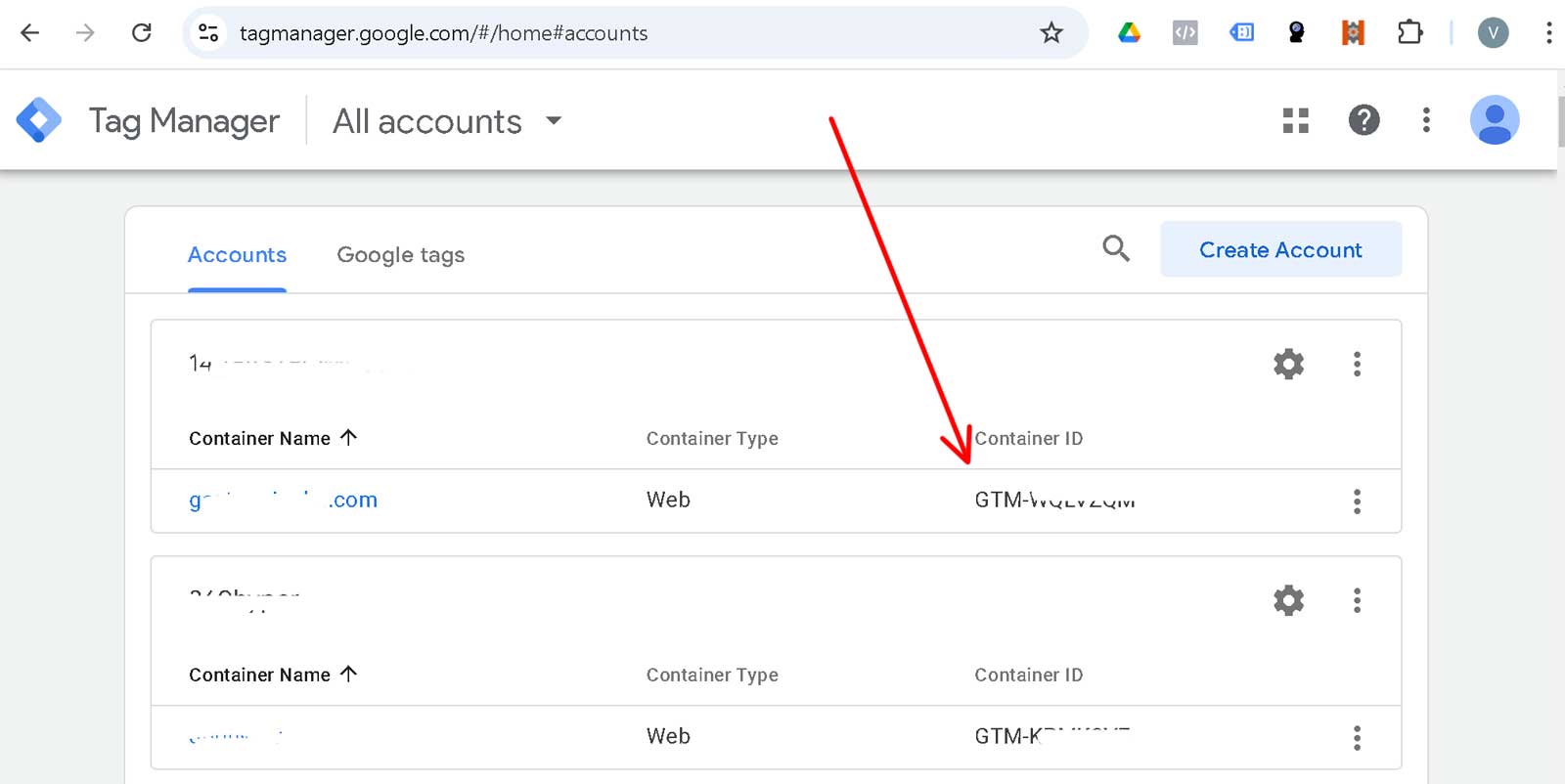
https://developers.google.com/analytics/devguides/collection/protocol/ga4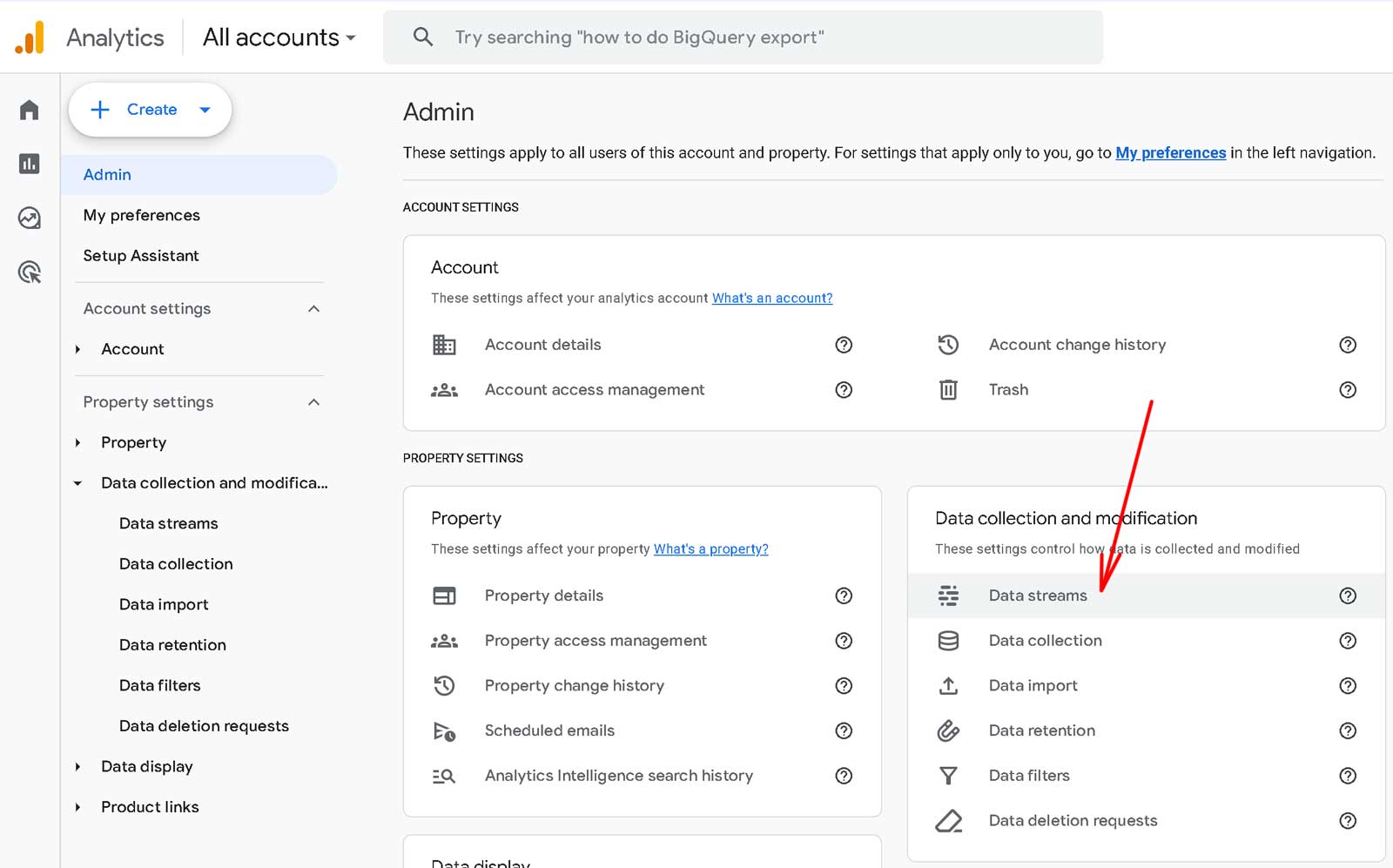
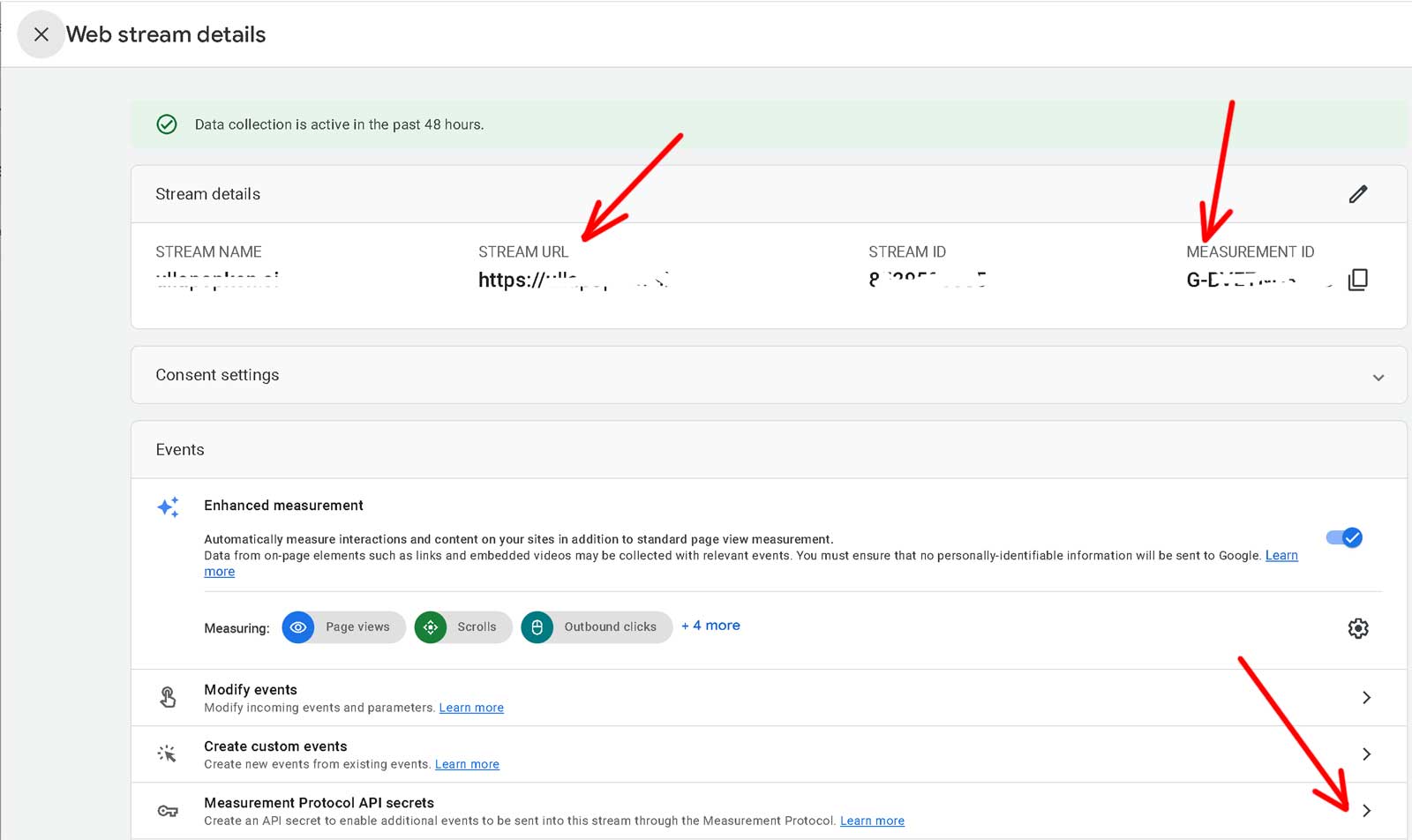
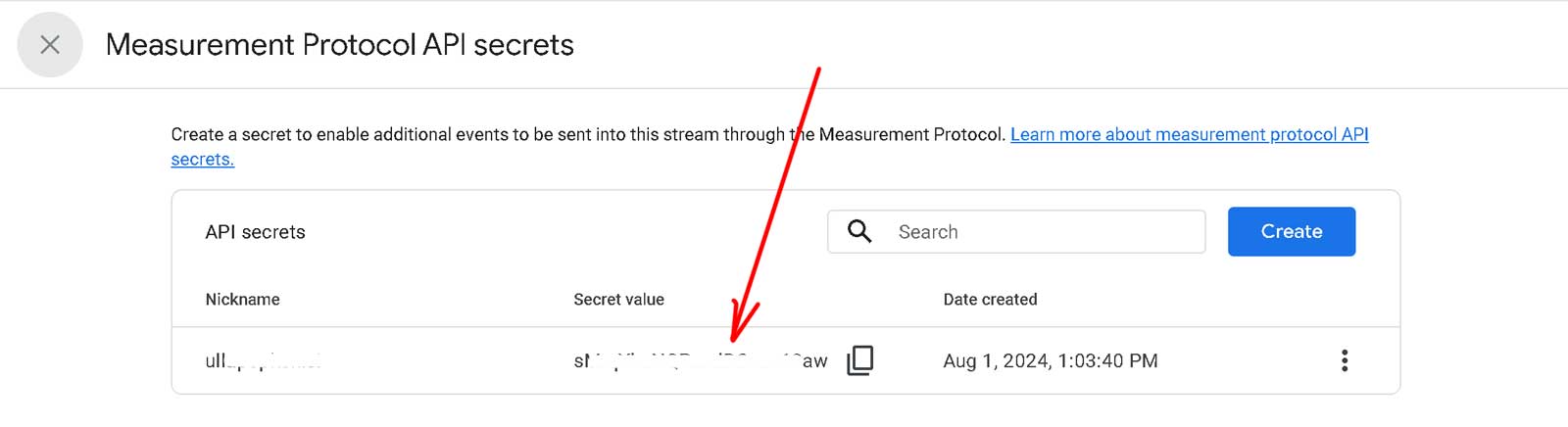
Frontend :
Backend : 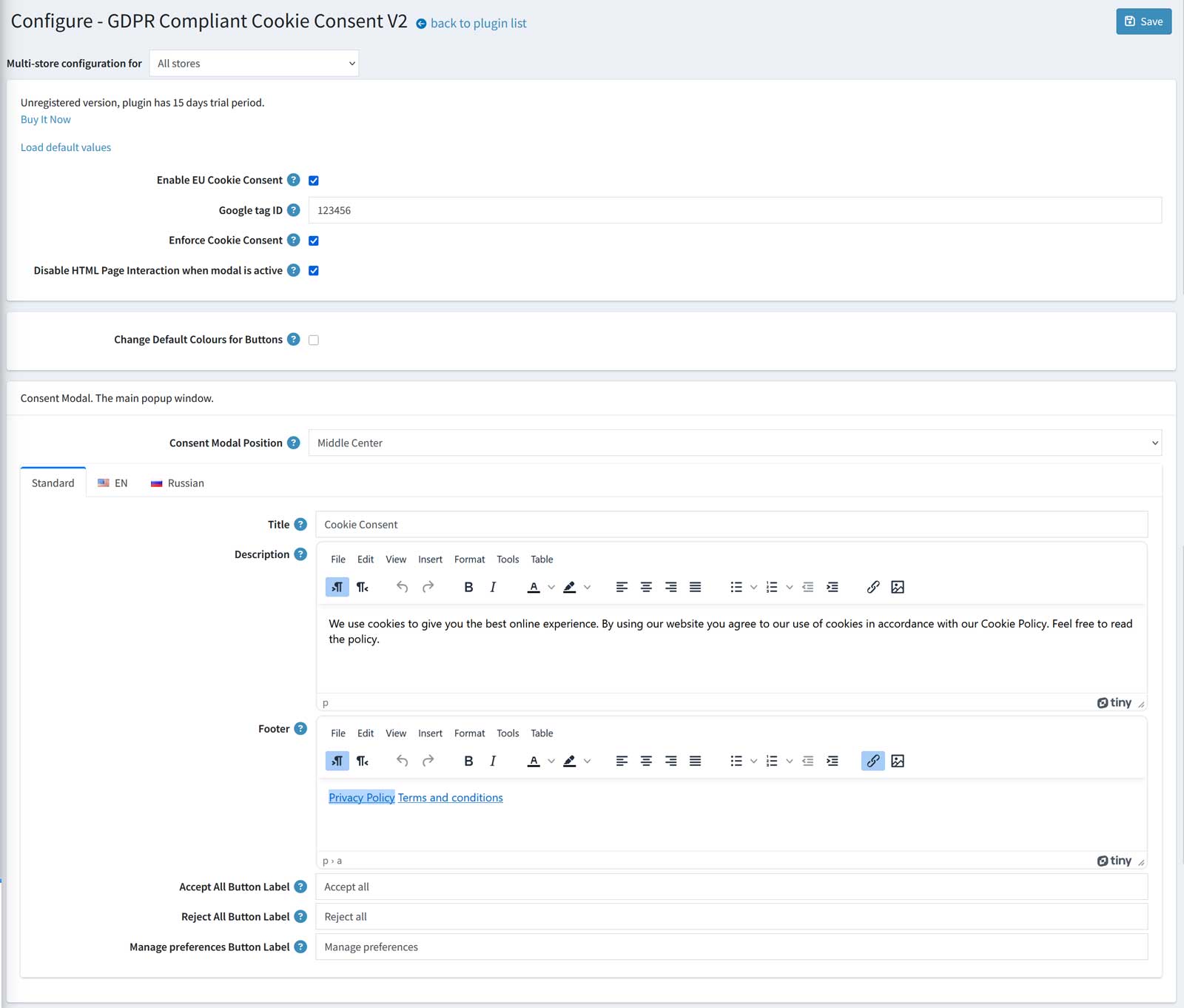
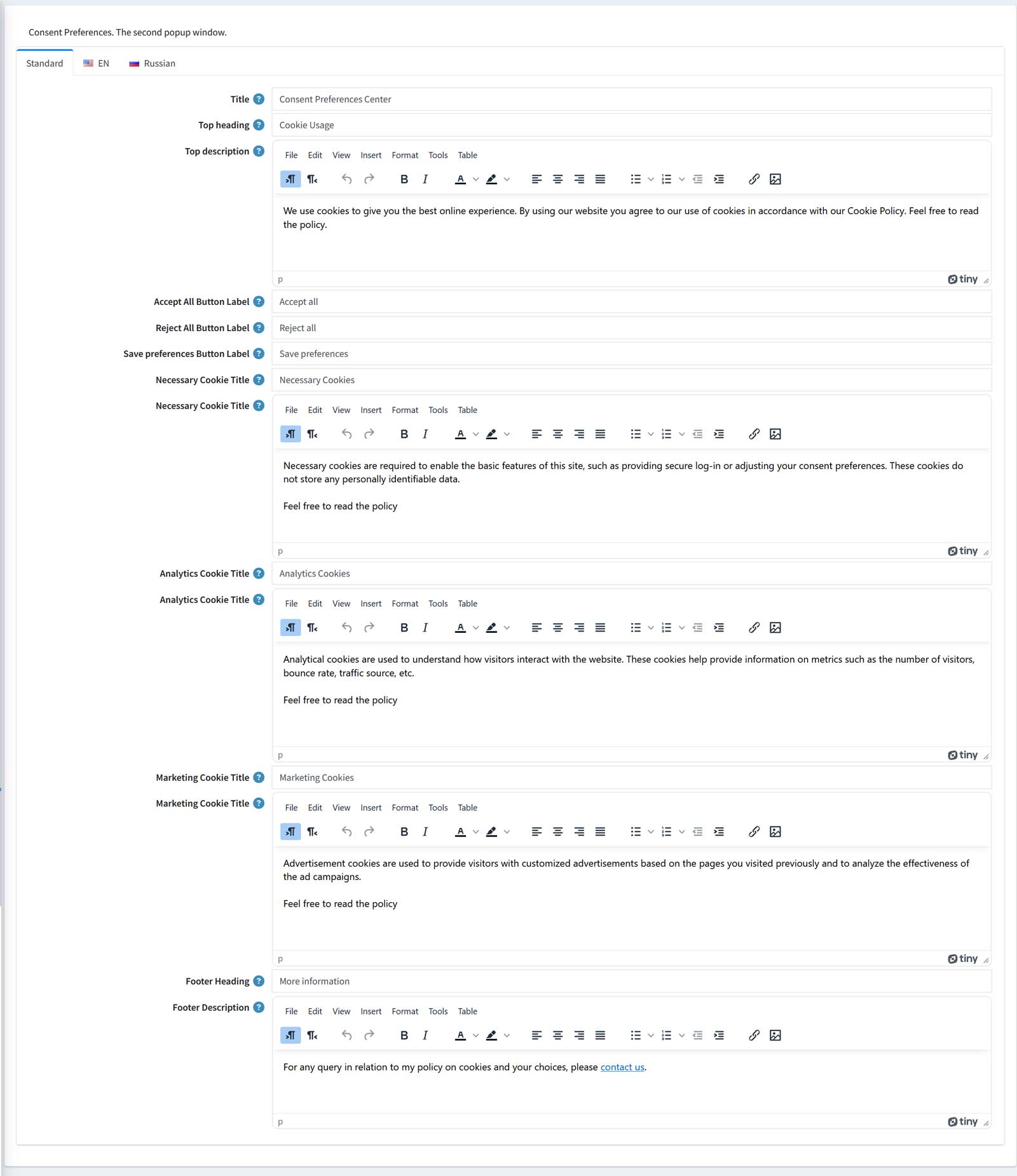
Features GA4:
view_item, view_item_list, select_item, add_to_wishlist, add_to_cart, view_cart, remove_from_cart, begin_checkout, add_payment_info, add_shipping_info, search, purchase, refund, login, sign_up
'event': 'view_item_list',
'ecommerce': {
'currency': 'USD',
'items': [{
'item_name': 'Samsung Series 9 NP900X4C Premium Ultrabook',
'item_id': '6',
'price': 1590.00,
'item_brand': 'Samsung',
'item_category': 'Notebooks',
'item_list_name': 'Category page',
'productId': 6
}]
}
});
dataLayer.push({
'event': 'purchase',
'ecommerce': {
'transaction_id': '2070',
'currency': 'USD',
'affiliation': '0',
'value': 399.60,
'tax': 39.60,
'shipping': 0.00, 'payment_type': 'Payments.CheckMoneyOrder',
'items': [{
'item_name': 'HTC One Mini Blue',
'item_id': '19',
'price': 100.00,
'item_category': 'Cell phones',
'quantity': 4,
'productId': 19
}]
}
});Features Enhanced Conversions:
'sha256_email_address': '51BC84A067A1DC6E3A6E66A3BB4A8342CB286AEAC84E510A67113489D09593FA',
'sha256_phone_number': '53F476A09BD7894C18C7C6982EF786647754A674F92F6F5CDFF17C3E66769B12',
'address': {
'sha256_first_name': '10B66E2BD553D4F4EDA3427D4988A830C60860A8A025F7DBB7E61CC75D7F63A8',
'sha256_last_name': 'CF072748DE586DEE9BBA4E3287857499BCF99C459C1CCE2AD3D2B9AC3091F80A',
'street': '1458 Rosestreet',
'city': 'NewJork',
'region': 'NY',
'country': 'US',
'postal_code': '10021'
}
});Features Ads (Adwords) Conversion Tracking:
'send_to': 'AW-777777/asdasdasd',
'value': 399.60,
'currency': 'USD',
'transaction_id': '2070'
});Features Ads Dynamic Remarketing:
'value': 399.60,
'items': [
{
'id': '19',
'google_business_vertical': 'retail'
}
]
});Features Consent Mode v2: